In the digital age, social media platforms like Instagram have become an integral part of our daily lives, connecting us with friends, family, and even strangers around the world. However, sometimes these connections can become strained, leading to the blocking of certain individuals. If you’ve ever found yourself wondering, “How to see who blocked you on Instagram?” you’re not alone. Discovering who has blocked you on the platform can be a perplexing puzzle to solve, but fear not, as we delve into the methods to uncover the truth behind blocked accounts.
Instagram, like many social media platforms, doesn’t provide a direct feature that notifies users when someone has blocked them. This lack of transparency can leave users feeling frustrated and confused, especially if they suspect that they’ve been blocked by someone but aren’t entirely sure. However, there are a few indirect methods you can employ to determine whether someone has blocked you on Instagram.
- Search for the User’s Profile: The most straightforward method to check if someone has blocked you on Instagram is to search for their profile using the search bar. If you’re unable to find their profile, it could indicate that they’ve either blocked you or deactivated their account. However, this method isn’t foolproof, as the user may have changed their username or made their account private, preventing you from locating them through a simple search.
- Try Accessing Their Profile Through a Mutual Friend: If you have mutual friends or followers with the suspected blocker, you can try accessing their profile through these connections. Navigate to the profile of a mutual friend who follows both you and the suspected blocker, and then search for the user in their followers or following list. If you’re unable to find the suspected blocker in these lists, it could suggest that they’ve blocked you.
- Check Direct Messages (DMs): Another way to gauge whether someone has blocked you on Instagram is by checking your direct messages. If you’ve previously had conversations with the suspected blocker, try locating the chat thread in your DMs. If their profile picture or username appears as a generic placeholder or if the messages no longer exist, it could indicate that they’ve blocked you. However, keep in mind that the user may have simply deleted their account or the messages, so this method isn’t definitive.
- Monitor Interactions: Pay attention to your interactions on Instagram to see if there’s any noticeable change in the behavior of the suspected blocker. If you suddenly stop receiving likes, comments, or tags from them, it could be a sign that they’ve blocked you. Additionally, if you’re unable to view their posts or stories while other users can, it further suggests that you’ve been blocked.
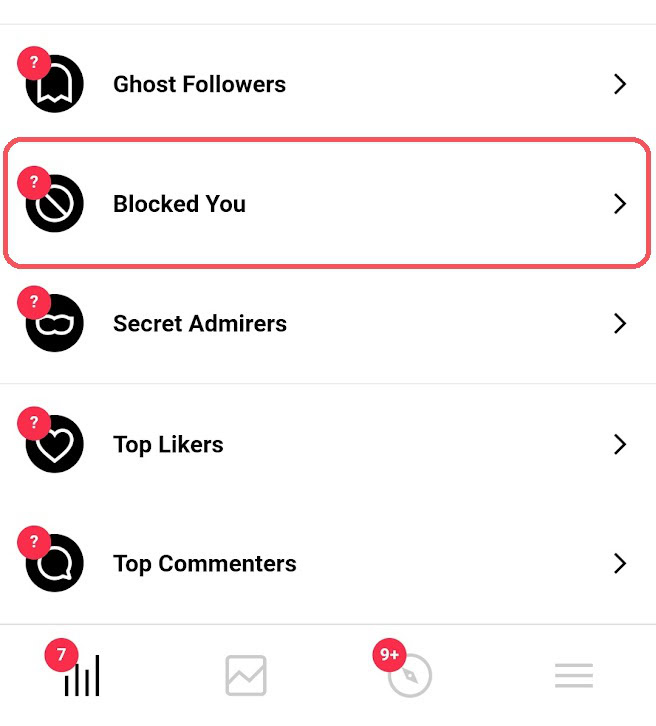
- Use Third-Party Apps: Although Instagram discourages the use of third-party apps for account analytics, some apps claim to provide insights into who has blocked you on the platform. These apps often require access to your Instagram account and may not always be reliable or secure. Exercise caution when using such apps and be mindful of the permissions you grant them.
While these methods may offer some clues as to whether someone has blocked you on Instagram, it’s essential to remember that they’re not foolproof. Instagram’s privacy settings and user interface can vary, making it challenging to definitively determine if you’ve been blocked. Additionally, it’s crucial to respect others’ boundaries and privacy on social media, even if you suspect that they’ve blocked you.
If you discover that someone has indeed blocked you on Instagram, it’s essential to handle the situation with maturity and discretion. Avoid confrontational behavior or attempting to retaliate against the individual who blocked you. Instead, focus on maintaining positive relationships with those who value your presence on the platform and continue engaging with meaningful content.
In conclusion, while Instagram may not offer a direct method to see who has blocked you, there are several indirect approaches you can take to uncover the truth. Whether it’s through searching for the user’s profile, checking mutual connections, monitoring interactions, or using third-party apps, these methods can provide insights into whether you’ve been blocked. However, it’s essential to approach the situation with respect for others’ privacy and to prioritize fostering positive relationships within the Instagram community. After all, social media is meant to connect us, not divide us.
